
Say the right thing.
Without overthinking.
Cues helps you write confident replies for texts, DMs, emails, and comments.
Download App App Available For

 Your Voice
Replies That Actually Sound Like You
Cues learns how you communicate to write messages that sound just like you.

Core Voice
Your natural way of talking, baked into every reply.

Honesty & Boldness
Dial how direct you are. From soft and safe to clear and confident.

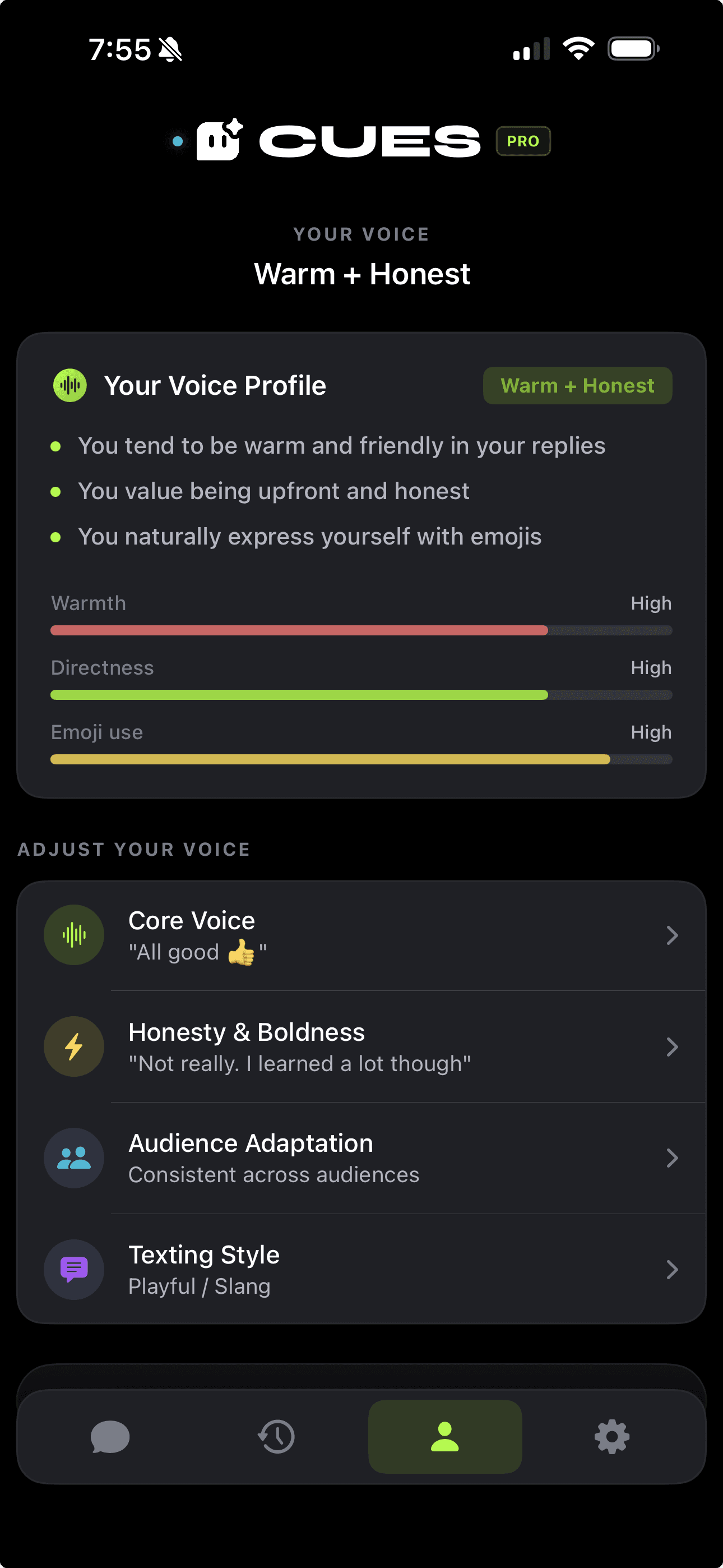

Audience adaptation
Your tone shifts based on who you’re texting, without losing your vibe.

Texting Style
Short, casual, or emoji-light. Replies match how you actually text.



Send the Right Message.
Every Time.
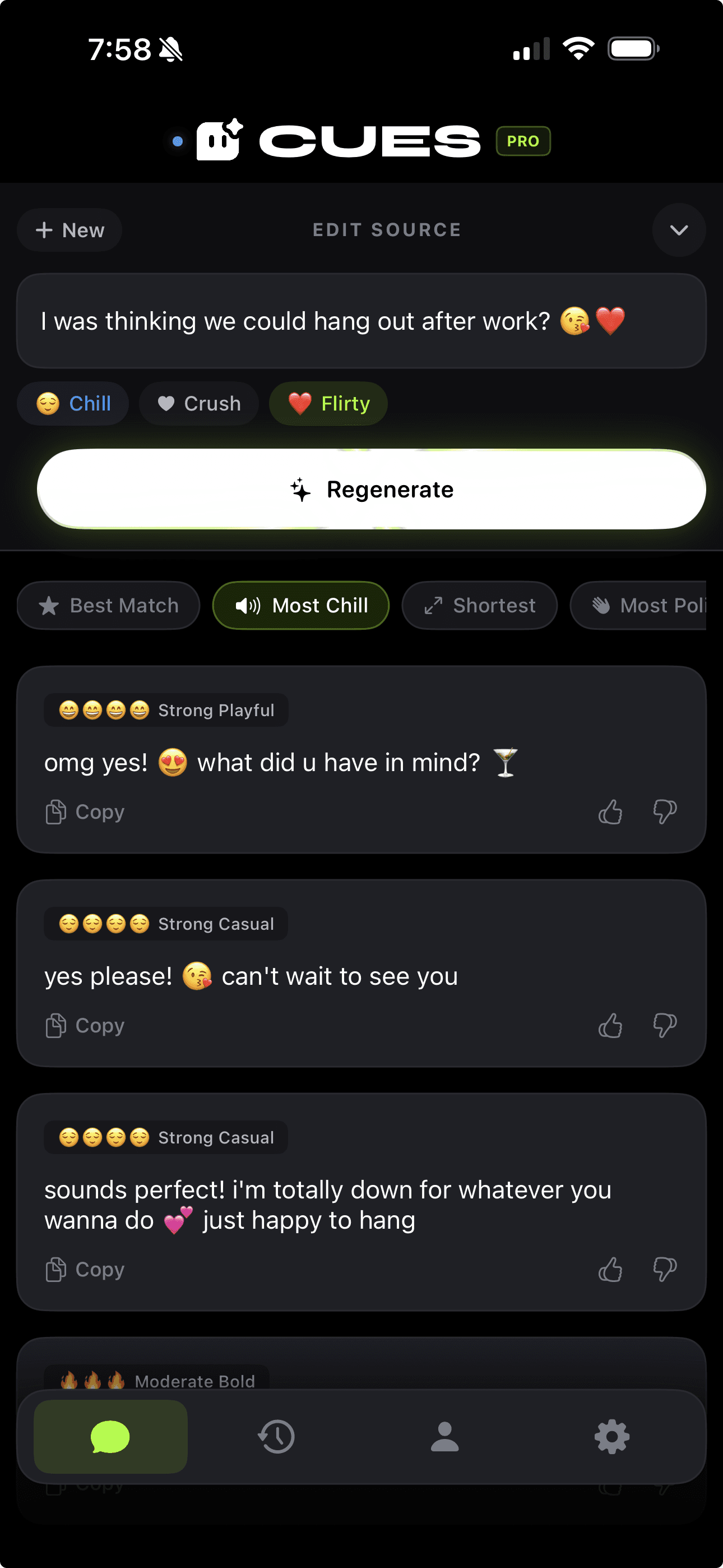
 Smart Replies
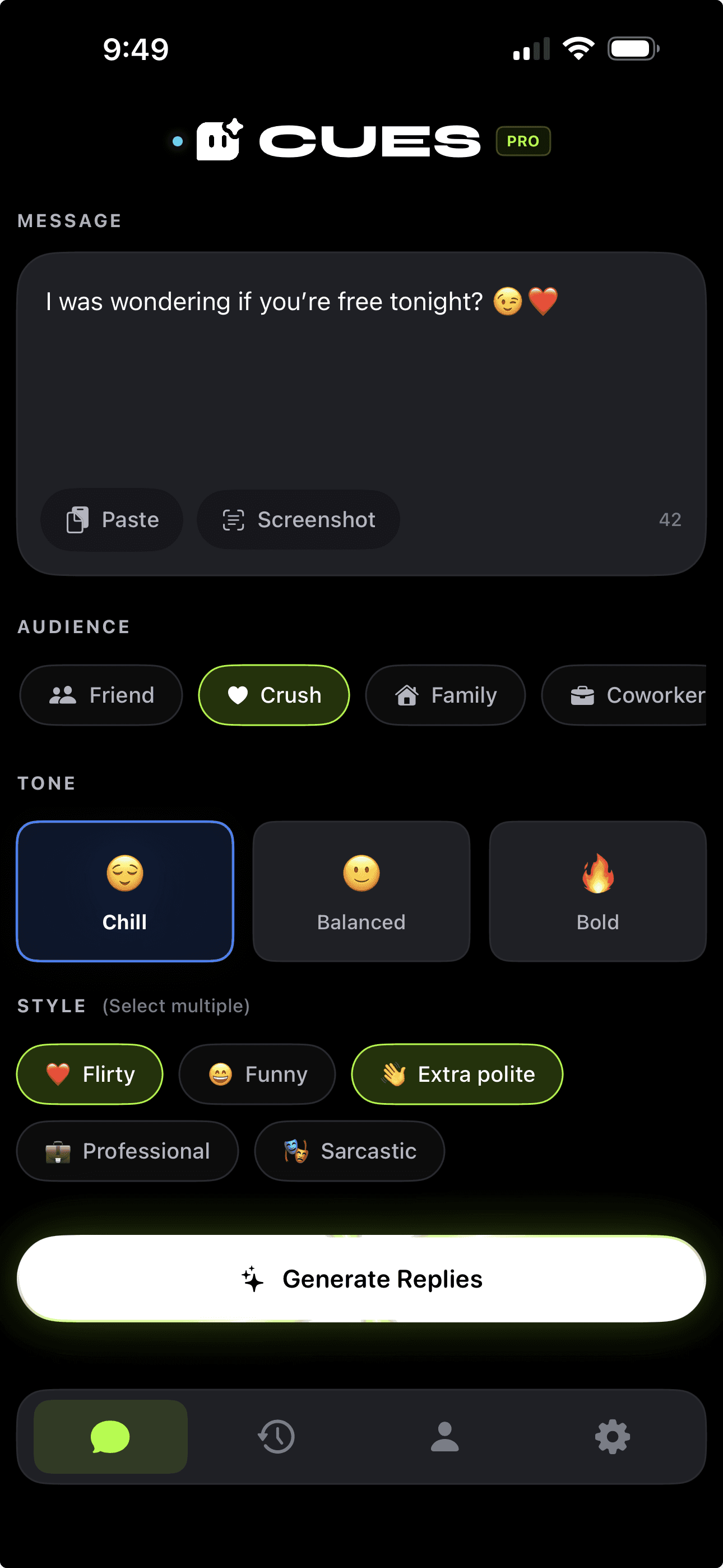
Turn messy thoughts into clear, confident replies that match your tone and intent.
 Tone & Style Controls
Choose how you want to come across. Chill, bold, flirty, polite, or anywhere between.
 Adapt to Audience
Replies adapt automatically based on who you’re talking to, from coworkers to crushes.
 Regenerate & Refine
Not quite right? Instantly regenerate, tweak the vibe, or dial the tone up or down.
Built for How You Actually Talk
Cues isn’t here to replace you or make you sound robotic. It gives you more ways to say what you already mean, just cleaner and more confidently.
 One-tap controls
- Reply history
- Regenerate instantly
- Private by default
- Fine-tune before sending
 Download on theApp Store


 Our Pricing
Flexible Pricing
Free
Basic access with essential features.
Get StartedWhat’s Included
- Basic tone and style selection
- Your Voice core style preset
 Unlimited reply creations
- Reply history
Pro
Enhanced features for new experience.
Get StartedWhat’s Included
- Advanced tone and style selection
- Your Voice Premium style preset
- Unlimited reply creations
- Reply history
 FAQ’s
Frequently Asked Questions
What is Cues?
Cues is a personal reply assistant.
You paste a message or screenshot.
Cues explains what is really being said.
Then it generates replies that match how you want to show up.
You stop guessing.
You send with confidence.
Who is Cues for?
Cues is for people who:
- Overthink texts, emails, and DMs
- Worry about tone, subtext, or power dynamics
- Want to sound confident without sounding cold
- Care about relationships and reputation
- Spend too much time rewriting messages
If you have ever typed a reply, deleted it, and started over. This is for you.
How is Cues different from ChatGPT?
ChatGPT gives generic replies.
Cues understands social context.
Cues:
- Analyzes tone, intent, and subtext first
- Adapts replies to social dynamics, not just wording
- Matches your voice over time
- Offers multiple calibrated options, not one guess
- Is designed specifically for messaging, not everything
ChatGPT is a tool.
Cues is a specialist.
Does Cues write fake or manipulative replies?
No.
Cues does not manipulate.
It clarifies.
You choose:
- Your intent
- Your tone
- Your boundaries
Cues helps you say what you mean.
Cleanly and confidently.
Will Cues make me sound like a robot?
No.
The opposite.
Cues adapts to:
- Your natural phrasing
- Your communication style
- Your preferred tone range
Replies feel human.
Because they are designed around human dynamics.
What types of messages does Cues work best for?
Cues is strongest with:
- Text messages
- Workplace Slack or email
- Dating conversations
- Family or emotional situations
- Negotiations or boundaries
- Awkward or tense replies
If the stakes feel high, Cues shines.
Does Cues save my messages?
You control what is saved.
By default:
- Messages are processed securely
- Nothing is shared publicly
- Saved replies are optional
Cues is built for trust.
Not content mining.
Stop overthinking messages
Cues helps you reply in a way that feels confident and in your style.
Download on theApp Store